Booking and cruise information

screenshots of a booking
Luxury cruise ship sailing in bright blue Caribbean waters with tropical island coastline visible in background.

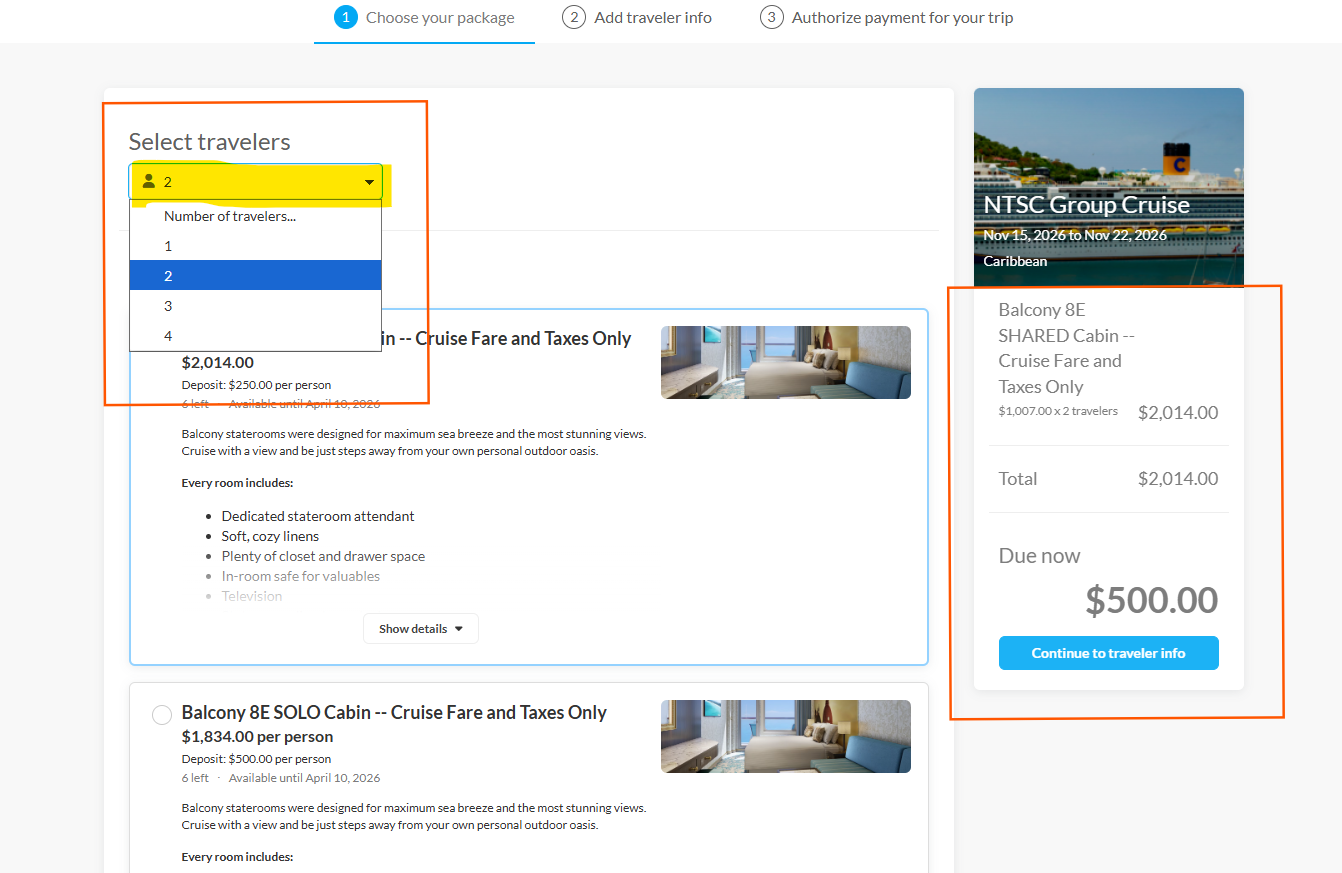
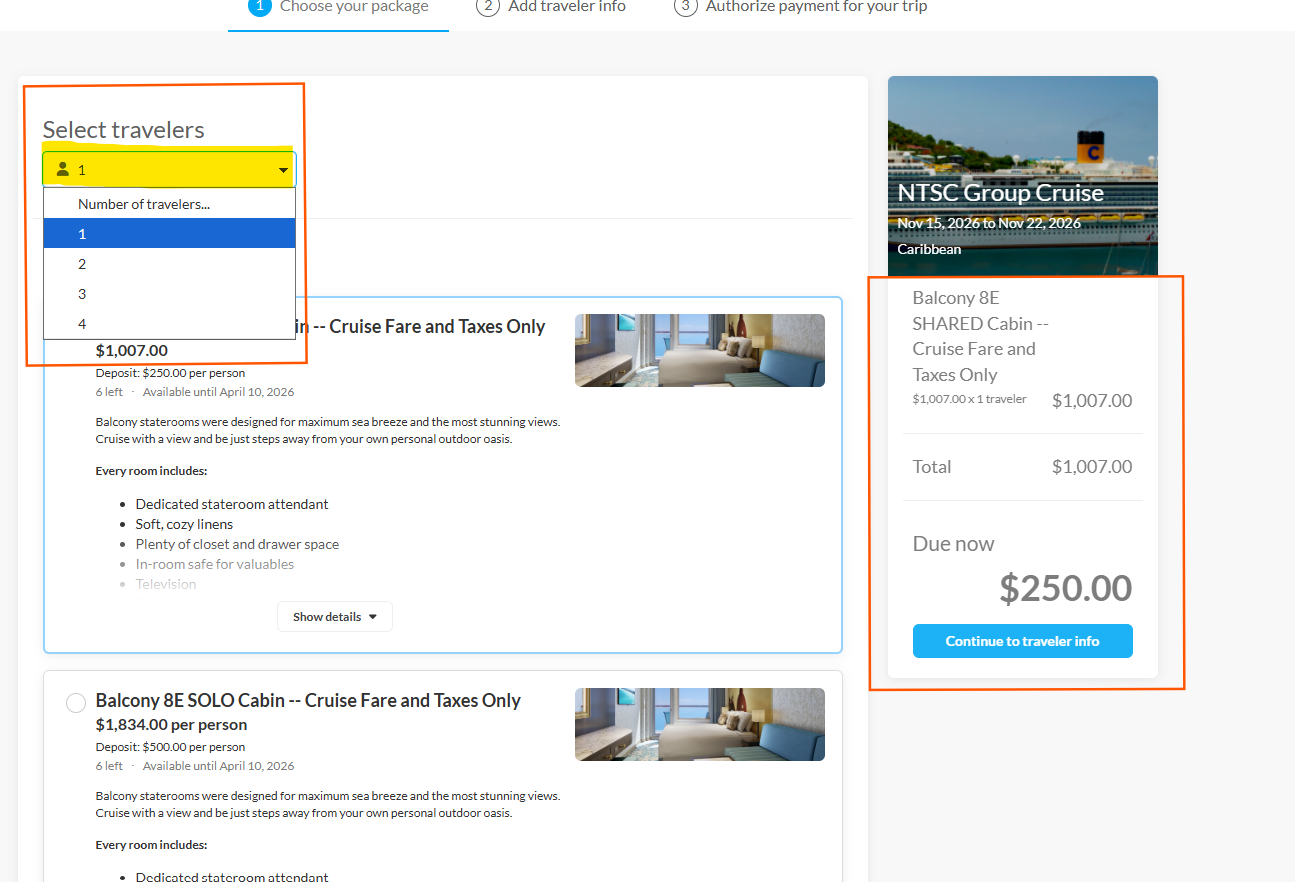
Choose 2 if you're booking for both occupants.
A screenshot of a software interface showing multiple packages or orders with pricing information and blue action buttons.

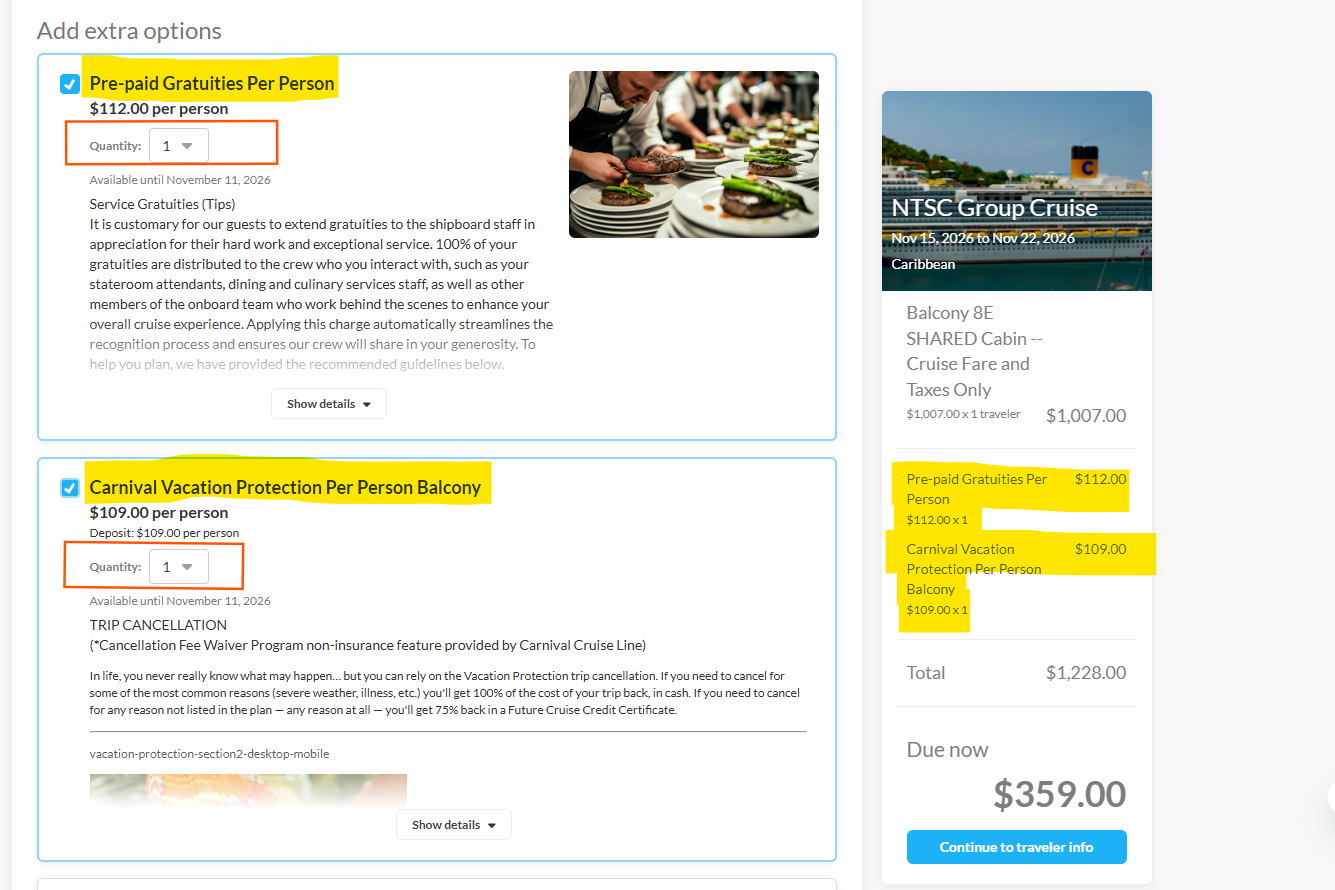
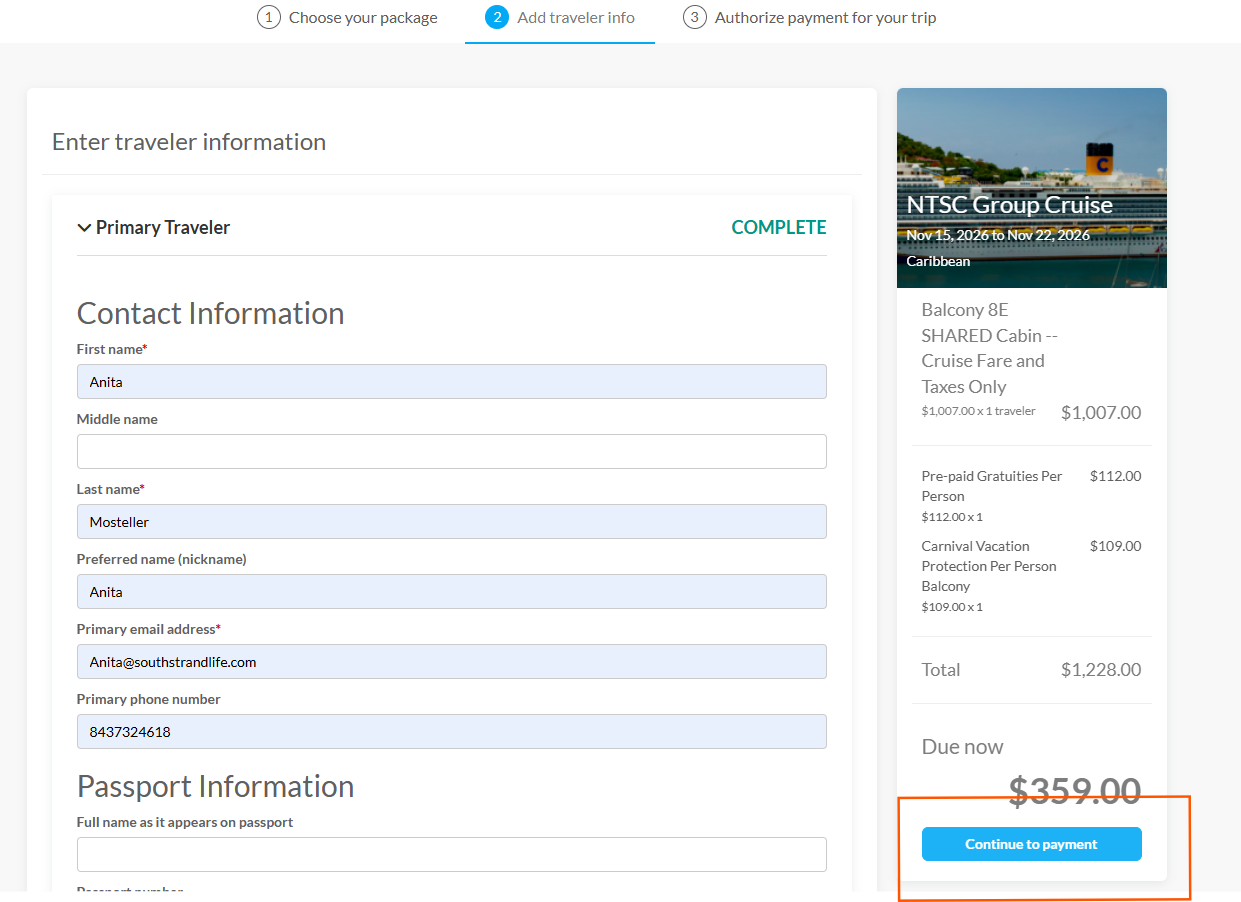
After selecting package, scroll down past the packages to the Extra Options. Select Gratuities, being sure to indicate how many this booking is for. Select Vacation Protection, being sure to indicate how many this booking is for.
Multiple software package pricing tiers displayed in a horizontal layout showing subscription options and features.

Enter all of your personal information including Passport information and Emergency Contact.
Multiple screenshots showing an e-commerce checkout flow with payment forms and pricing details of $250.00.

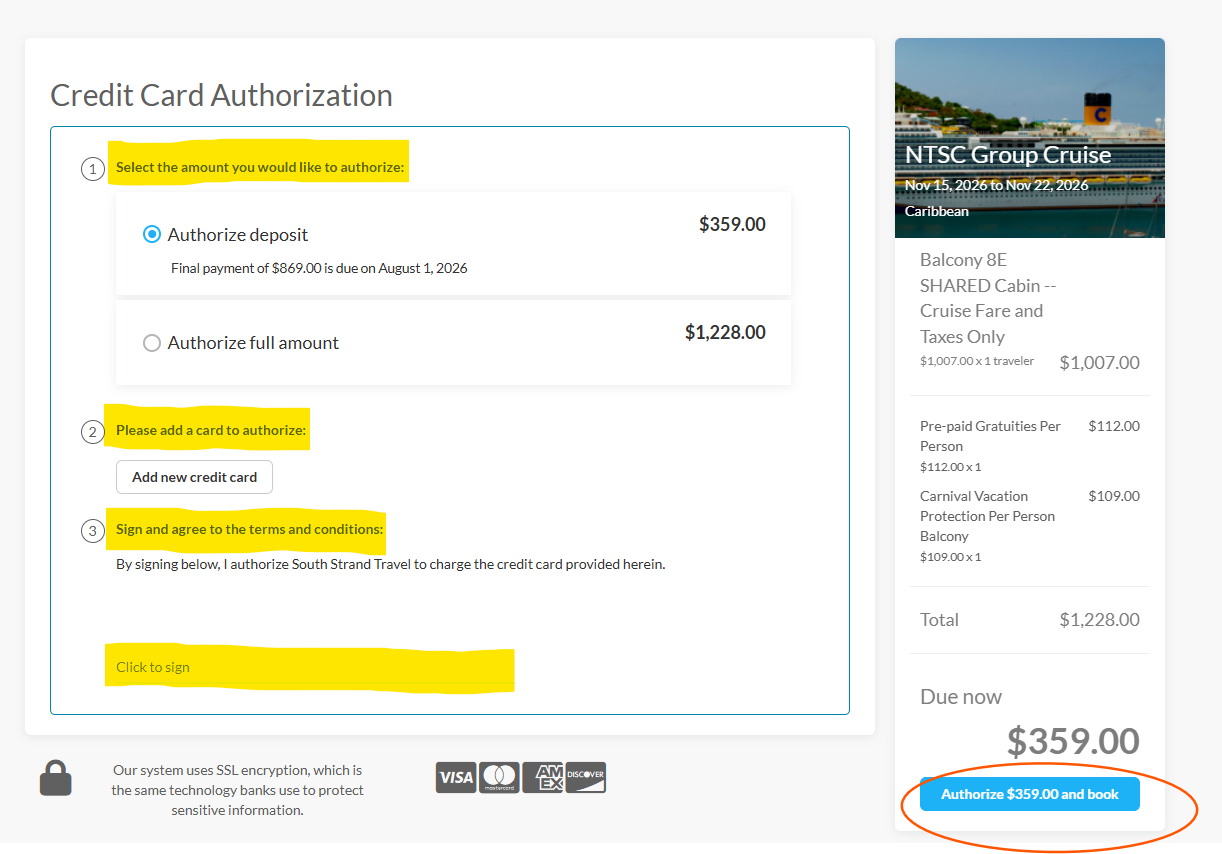
Finalize payment

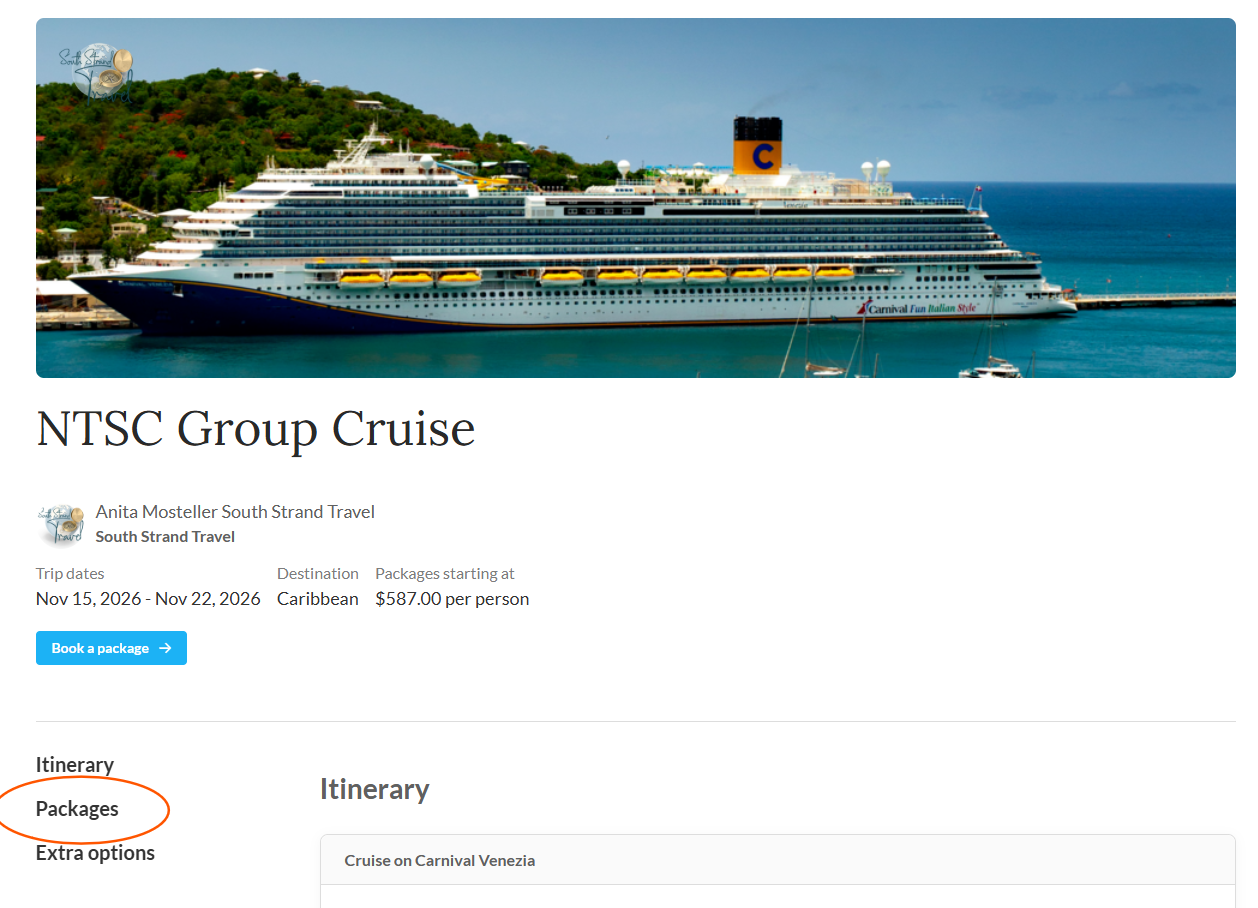
Luxury cruise ship sailing in bright blue Caribbean waters with tropical island coastline visible in background.

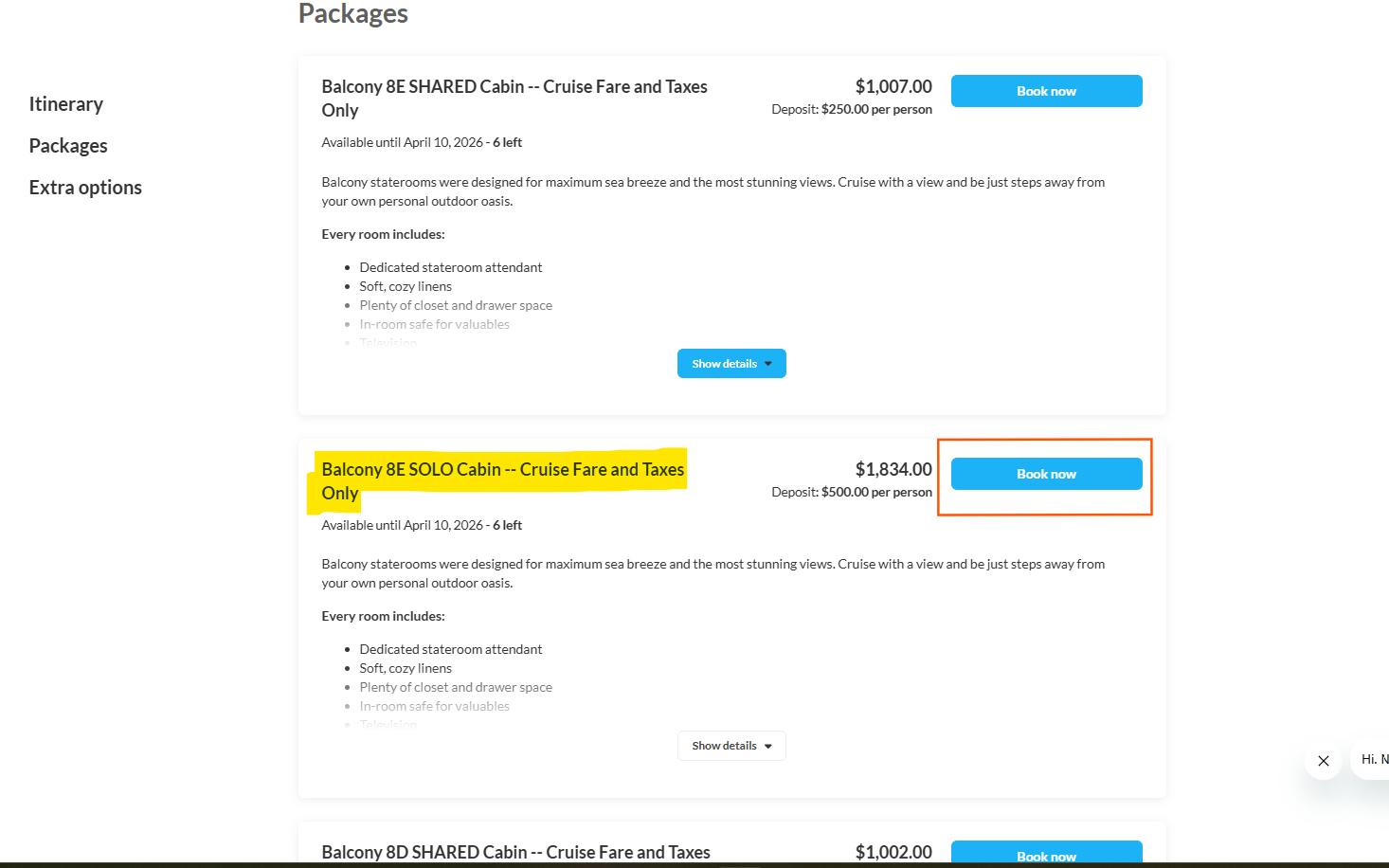
To begin booking, select Packages

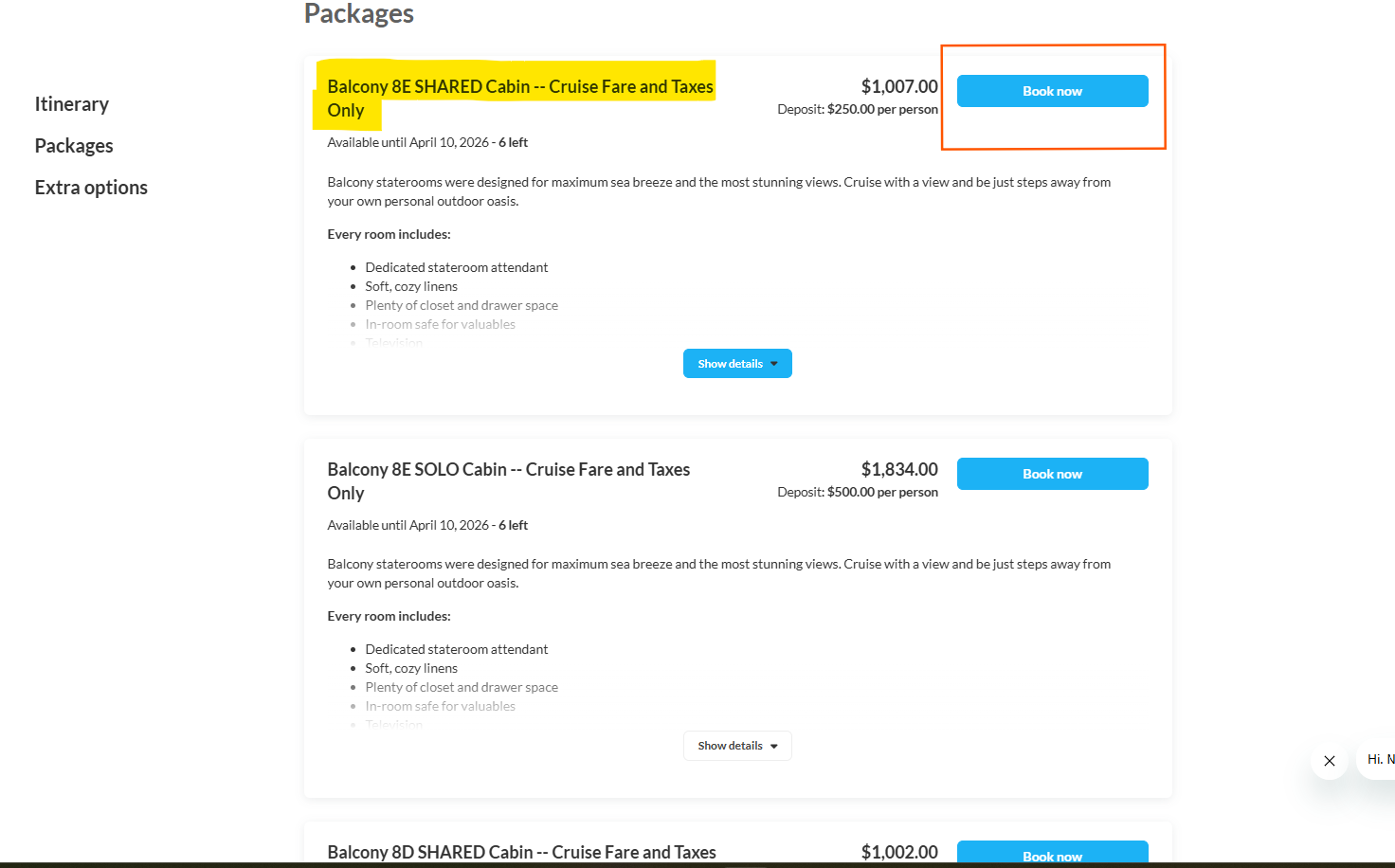
A screenshot of a software interface showing multiple packages or orders with pricing information and blue action buttons.

The SHARED package is for those sharing a cabin
Multiple software package pricing tiers displayed in a horizontal layout showing subscription options and features.

The SOLO package is for individuals booking a cabin for just themselves.
Multiple screenshots showing an e-commerce checkout flow with payment forms and pricing details of $250.00.

No matter which package is chosen, click on number of travelers for the booking. Choose 1 if you are a roommate booking for yourself and your roommate will book for themselves.

cabin categories and pricing

Use sliders to see all columns